~/blog/pomo-doro-tui
Pomo Doro: Building a Sleek, Session-Persistent Pomodoro TUI
- #tui
- #react
- #cli
Overview
When it comes to staying focused, the Pomodoro Technique is one of the simplest and most effective frameworks out there. But when I wanted to bring it to my workflow, I ran into a bit of a goldilocks problem. I wanted a Pomodoro timer that was:
- housed completely in the terminal (no distracting browser tabs),
- clean, modern, and readable from a distance,
- secure, local-first, and lightweight,
- and smart enough to handle breaks and save my progress.
When I couldn’t find a CLI tool that ticked all of those boxes, there was only one logical developer response: build it myself.
That’s what led to Pomo Doro—a modular, React-powered Pomodoro TUI (Terminal User Interface). It turns out, building a terminal-based timer has some interesting challenges, from drawing UI grids inside a shell to managing state persistence so you don’t lose your focus logs when you close a tab.
If you want to view the source code or install it yourself, the repository is right here: github.com/dandrok/pomo_doro.
[!NOTE] A quick backstory on how it was built: I started writing the initial version by hand, but partway through, I found myself traveling across Japan in “adventure mode” during May 2026. Without much dedicated focus time on bumpy trains, I decided to level up my AI collaboration skills. I paired up with my AI assistant (Antigravity CLI Gemini) to co-author components, implement TypeScript path aliases, and wire up the testing suite. Writing code while looking at Mount Fuji from a Shinkansen bullet train at 300 km/h was quite the experience!
What Pomo Doro Does
Pomo Doro isn’t just a simple shell stopwatch. It’s a complete productivity workspace for the terminal. Some of its core features include:
- A Clean TUI Layout: Built-in big text and progress bars that let you check your status at a glance, even if the terminal window is in a corner of your screen.
- Automatic Session Cycling: Cycle between Work and Short Breaks automatically, with every 4th focus session triggering a Long Break via a clean modulo-4 schedule.
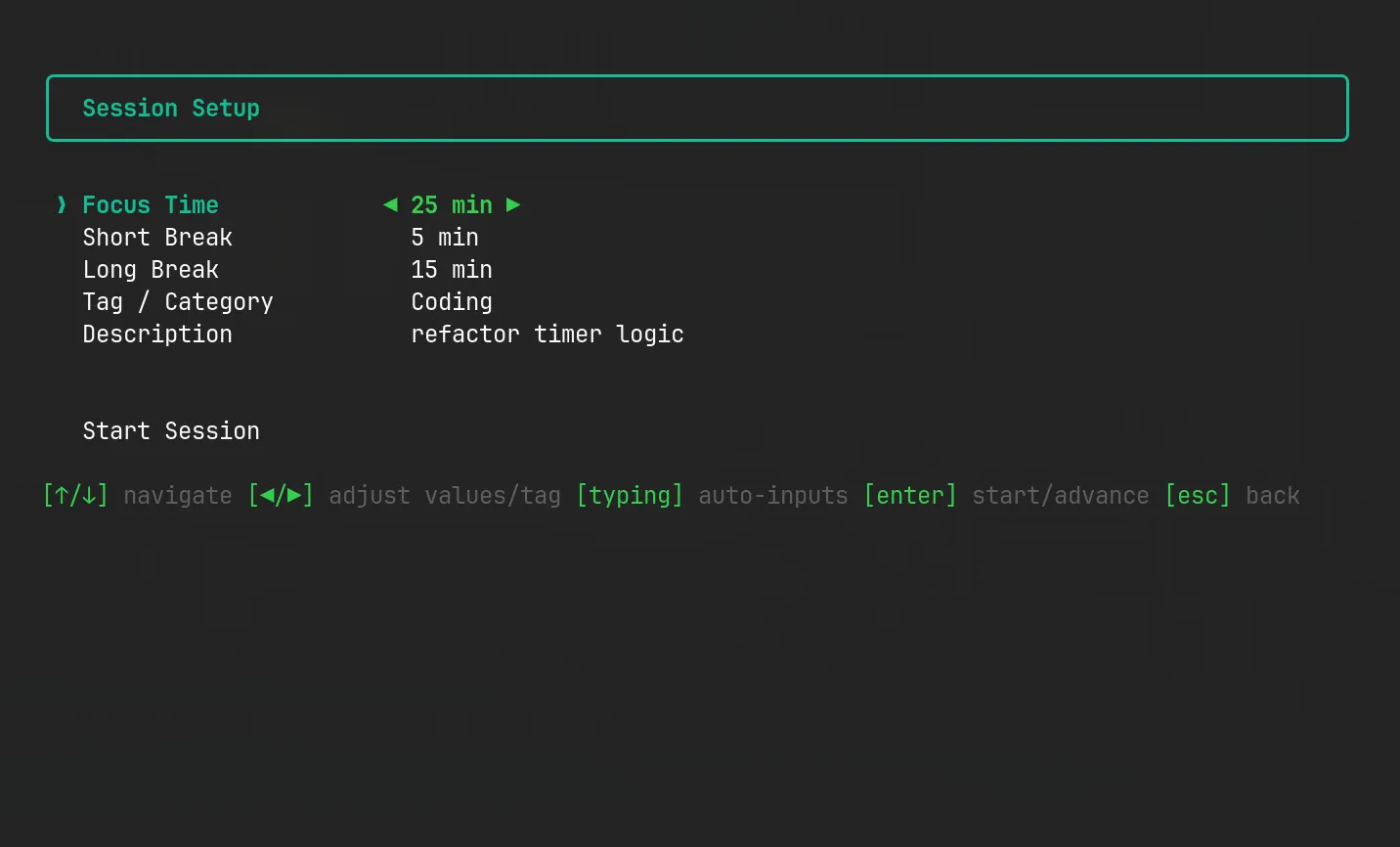
- Interactive Setup Wizard: If the default 25/5/15 interval doesn’t match your flow, you can spin up a custom session using an interactive configuration menu. You can even assign tags and descriptions to categorize your work.
- Local State Persistence: Automatically remembers your active session and tracks your progress. If you accidentally close your terminal, you can resume right where you left off.
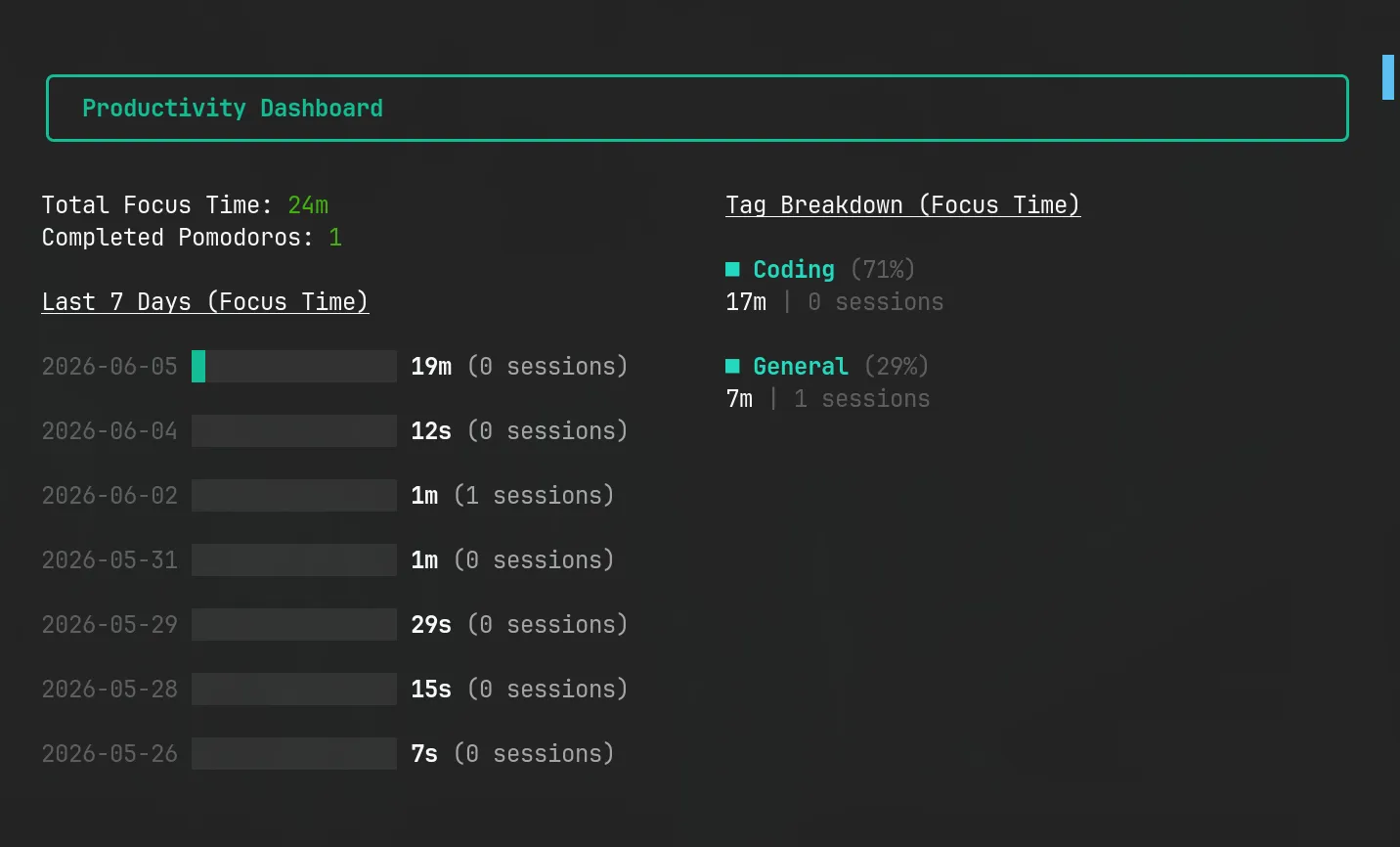
- Productivity Dashboard & Daily Goals: A dedicated screen showing your daily focus stats, a 7-day productivity history bar chart, and tools to track your daily Pomodoro goal.
- Native Alerts & Keyboard Controls: Integrates with system-level notifications and audio warnings. You can easily mute alerts (
m), skip sessions (s), or pause (p) using quick keyboard shortcuts. - CLI Arguments: Bypass the menus entirely by passing arguments directly from your shell (e.g.,
pomo --work 50 --break 10). - Interactive Settings Menu: Easily configure your daily goals and toggle OS notifications on the fly.
- Development Sandbox: Features a dedicated test mode with ultra-short timers for rapid testing and contribution.
The Tech Stack: React in the Terminal?
Yes, you read that correctly. We are running a virtual DOM inside your shell to render Flexbox layouts.
The stack consists of:
- TypeScript for code safety and robust types.
- Node.js as the runtime.
- Ink for React-based terminal rendering.
- Conf for local state and history persistence.
- Vitest for unit testing hooks and history logic.
- Tsup for bundling the code into a single, lightning-fast executable.
For anyone who hasn’t worked with it, Ink translates React components into ANSI escape codes. Instead of browser tags like <div> or <span>, you use <Box> and <Text>.
To make the timer look cool and readable, I integrated ink-big-text to render the clock. The layout is kept modular, clean, and extremely easy to maintain. Here is how the project is organized:
src/
├── cli.tsx                     # CLI application entry point
├── app.tsx                     # Top-level application router
├── components/
│   ├── screens/                # High-level screens
│   │   ├── MainMenu.tsx        # Main navigation menu
│   │   ├── Timer.tsx           # Active timer & progress bar
│   │   ├── SessionSetup.tsx    # Custom interval wizard
│   │   ├── History.tsx         # Productivity logs screen
│   │   ├── Settings.tsx        # Interactive settings menu
│   │   └── Resume.tsx          # Resumes a interrupted timer
│   └── ui/                     # Reusable visual building blocks
│       ├── Layout.tsx          # Consistent border styling
│       ├── DailyBarChart.tsx   # TUI chart for focus history
│       └── ProgressBar.tsx     # Custom terminal progress bar
├── hooks/
│   ├── useTimer.ts             # Countdown & state management hook
│   └── usePomodoroSession.ts   # Session cycle logic
├── utils/
│   ├── config.ts               # Local Conf-based database client
│   ├── cliParser.ts            # Command-line arguments parser
│   └── notifications.ts        # OS-level notify & sound engine
└── types.ts                    # Centralized TypeScript definitions
Why Local-First Persistence Matters (Enter conf)
One of the biggest issues with simple terminal utilities is that they are ephemeral. If your laptop battery dies, if you close your terminal pane, or if you accidentally press Ctrl+C, your timer is gone and your productivity logs are wiped out.
To solve this, Pomo Doro uses the conf library.
Whenever the active timer ticks down, it writes the current session’s snapshot to disk in a simple local JSON file.
// Persist current session state on every tick or mode change
useEffect(() => {
  config.set('activeSession', {
    timeOut: secondsRemaining,
    mode,
    focus,
    shortBreak,
    longBreak,
    pomodoroCount,
  });
  config.set('pomodoroCount', pomodoroCount);
}, [secondsRemaining, mode, pomodoroCount]);
When you reopen the app, the app detects that an active session was interrupted and presents a Resume Screen:
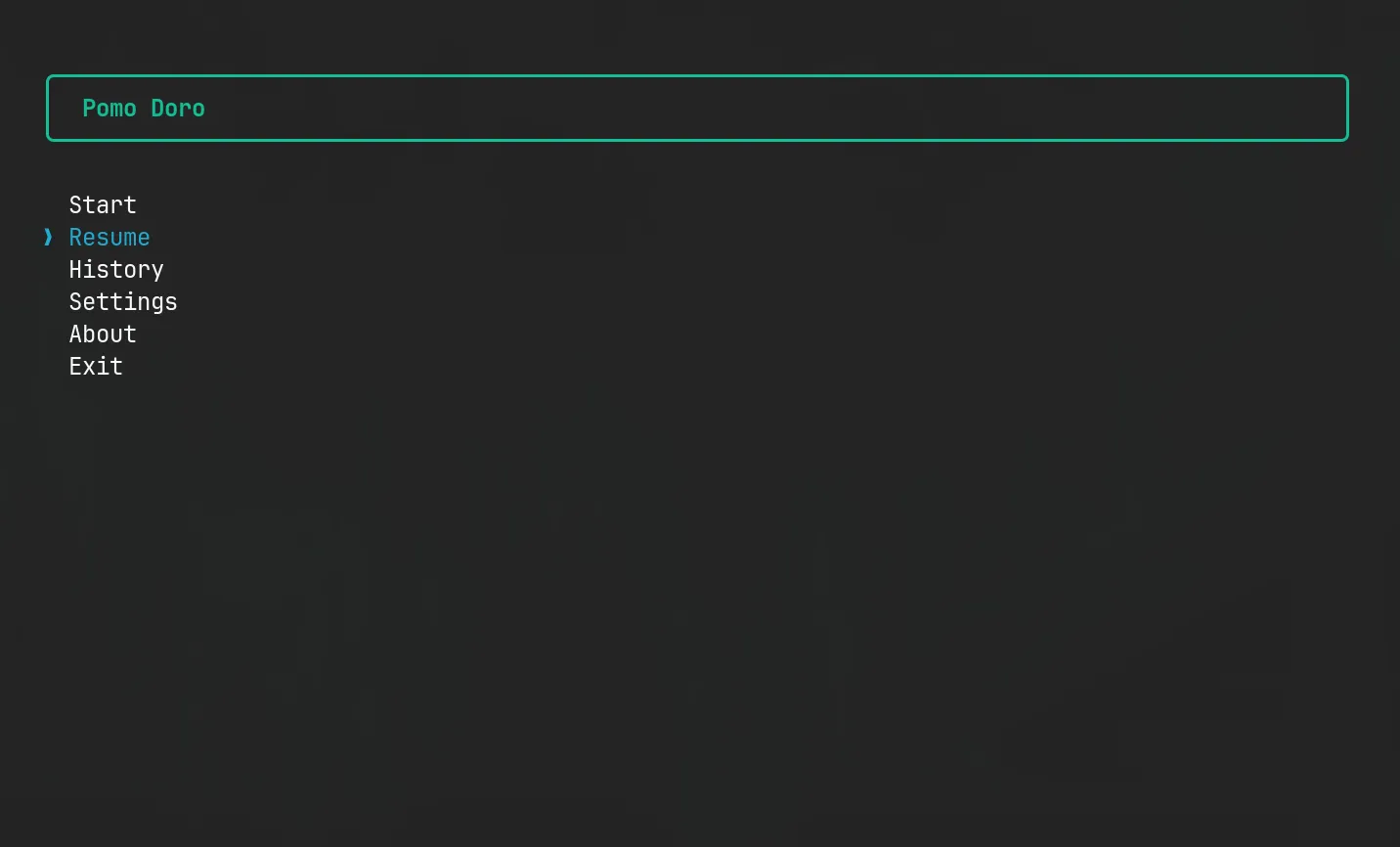
This local-first storage is fast, requires zero database setup, and keeps your work logs entirely private on your own hard drive.
The Technical Nitty-Gritty
Building a countdown timer in React inside a terminal environment comes with a few funny quirks.
Avoiding Timer Drifts in the Event Loop
If you’ve ever built a timer in vanilla JavaScript, you know that setInterval is notoriously unreliable. It drifts based on what is happening in the event loop. In a terminal app, rendering updates can sometimes block execution for brief moments.
To keep things accurate and lightweight, Pomo Doro uses a custom React hook useTimer which sets a single setTimeout that triggers every 1,000 milliseconds and decrements state. By relying on a functional update:
setSecondsRemaining((prev) => prev - 1);we avoid stale closures and ensure that even if the rendering pipeline lags for a millisecond, the countdown logic stays rock solid.
Continuous Integration and NPM Distribution
Because I wanted this tool to be accessible globally with a simple npm install -g pomo-doro-tui, I used tsup to bundle the whole project. Tsup compiles all of our TypeScript files, bundles dependencies, and outputs a single minified ESM binary (dist/cli.js) targeted at node environments.
The release workflow is automated using GitHub Actions. On every pull request, it runs:
npm run typecheckto verify TypeScript types,npm run lintfor code styling,npm run testusing Vitest to run unit tests on hooks and utility logic.
When a new version tag is released, the GitHub Action automatically builds the project and publishes it to the NPM registry.
Visual Walkthrough
Here is what the interface looks like in action:
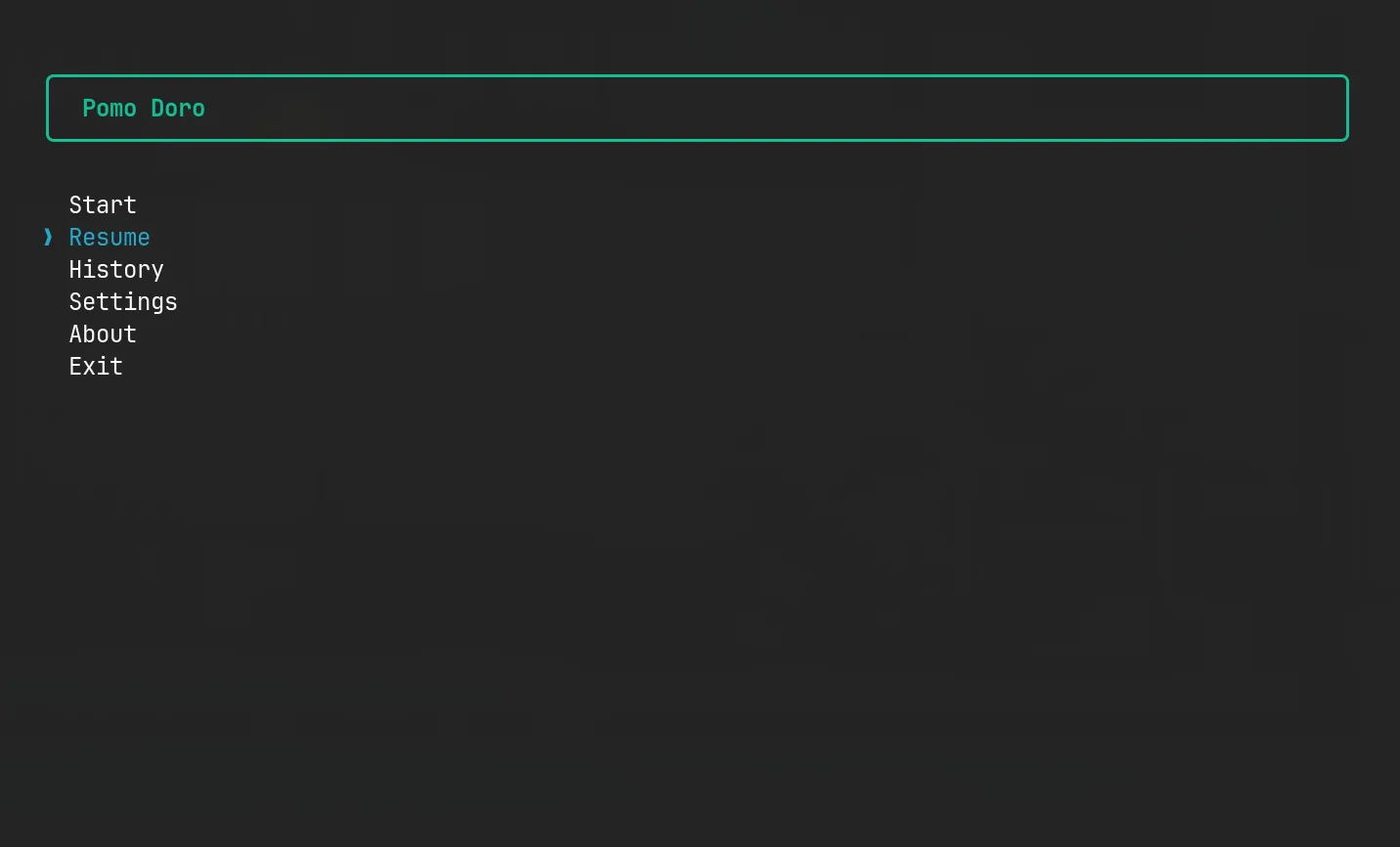
Main Menu
The starting screen lets you choose presets, access the custom wizard, or check your history.
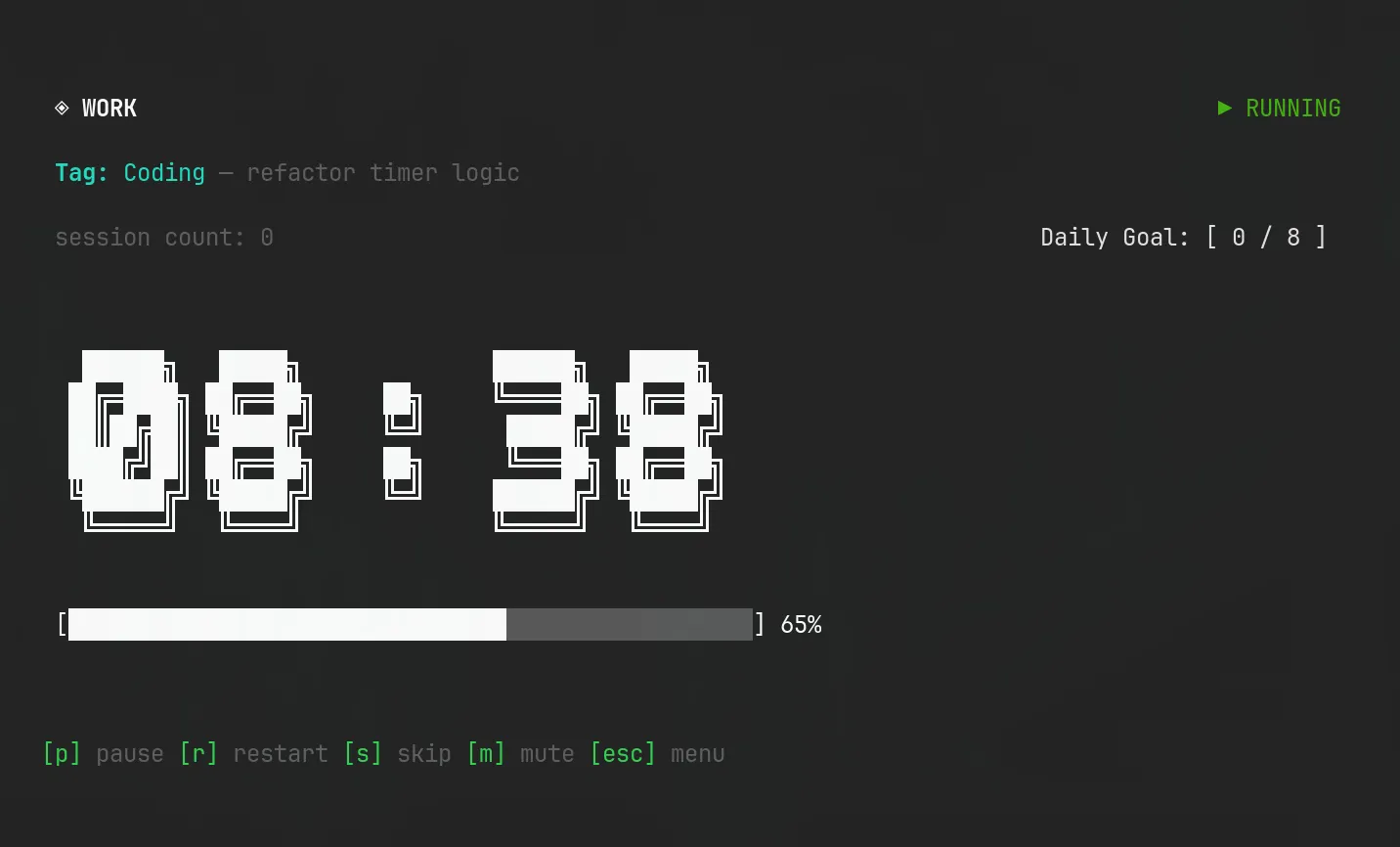
Active Pomodoro Timer
A working Pomodoro session with large ASCII numbers and a dynamic terminal progress bar.
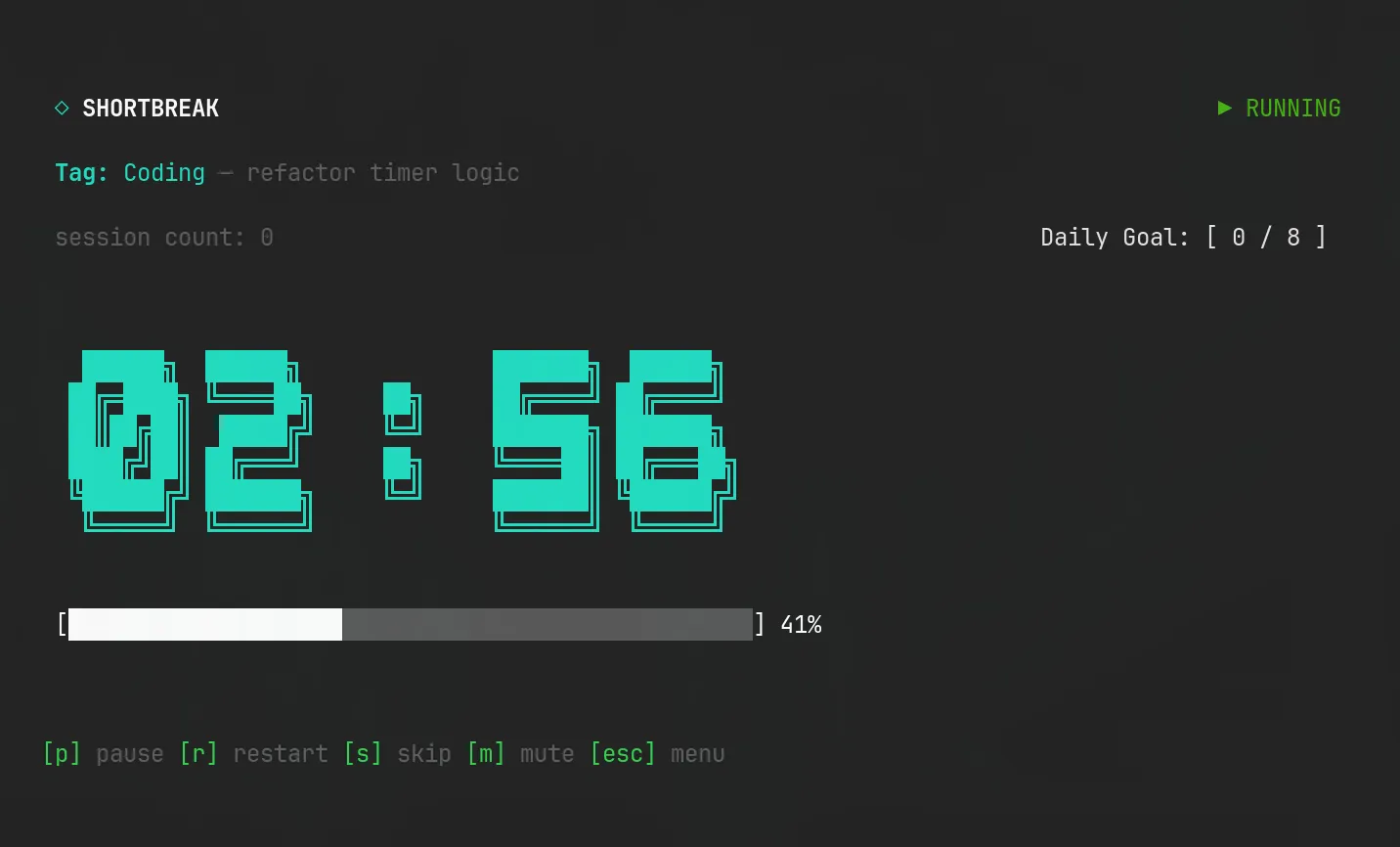
Break Session
When it’s time to rest, the UI switches to a relaxing color scheme.
Custom Wizard Setup
Need a 50-minute work session and a 10-minute break? Navigate fields using arrow keys.
Productivity History
Check your completed Pomodoro sessions over the last 7 days represented as an ASCII bar chart.
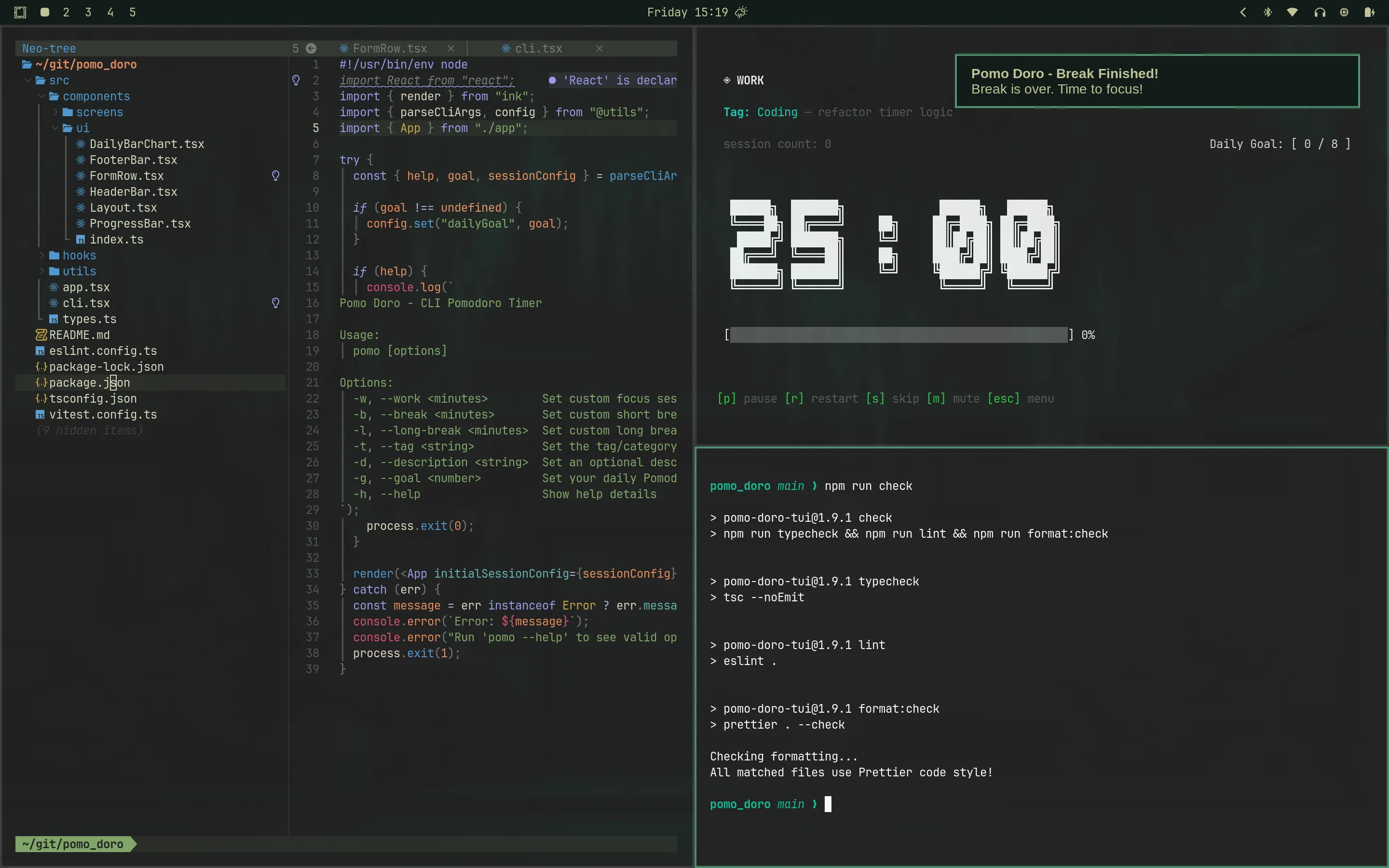
Native Notifications
Receive native toast notifications at the start and end of break cycles.
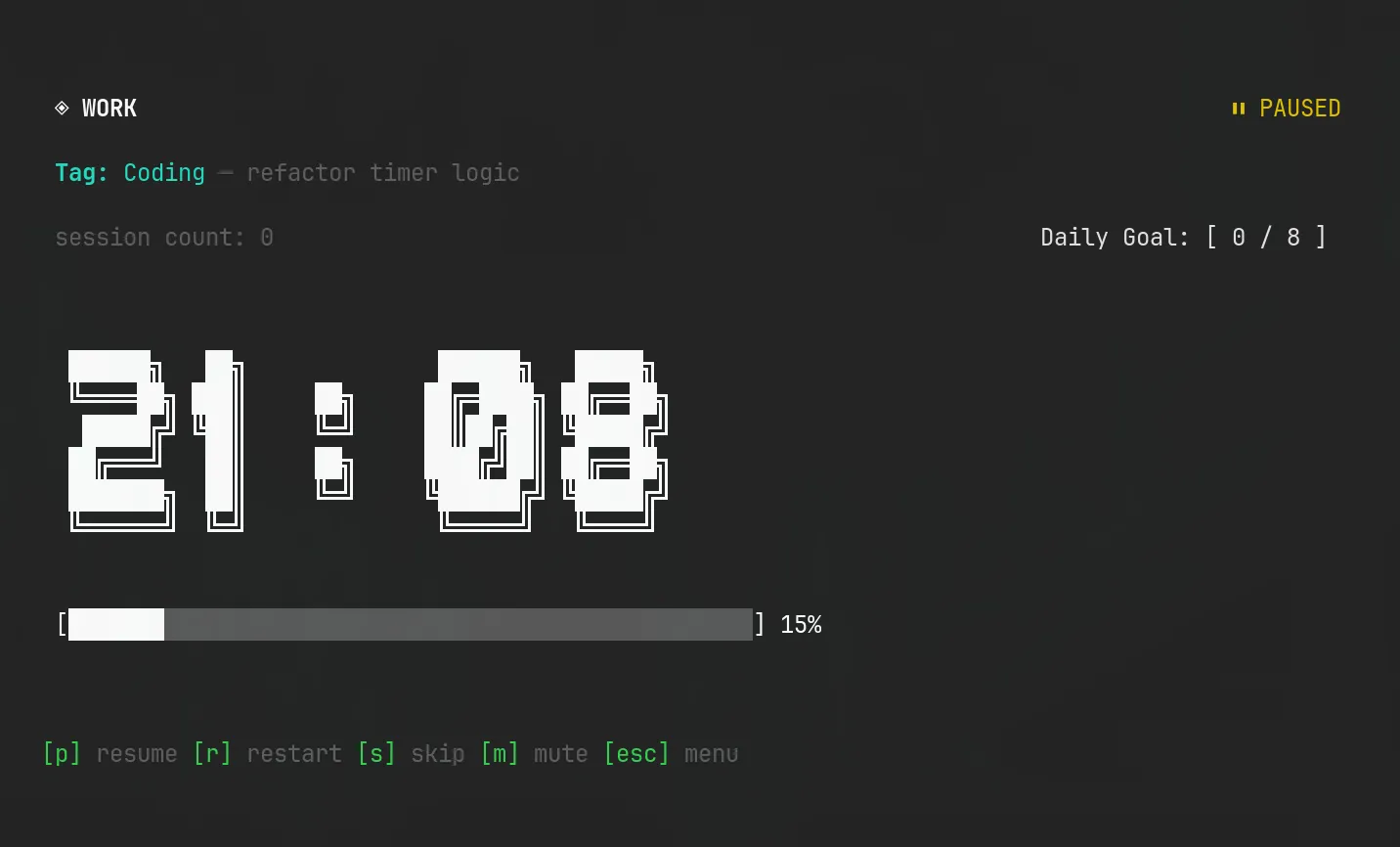
Paused Screen
Pause and resume controls in action.
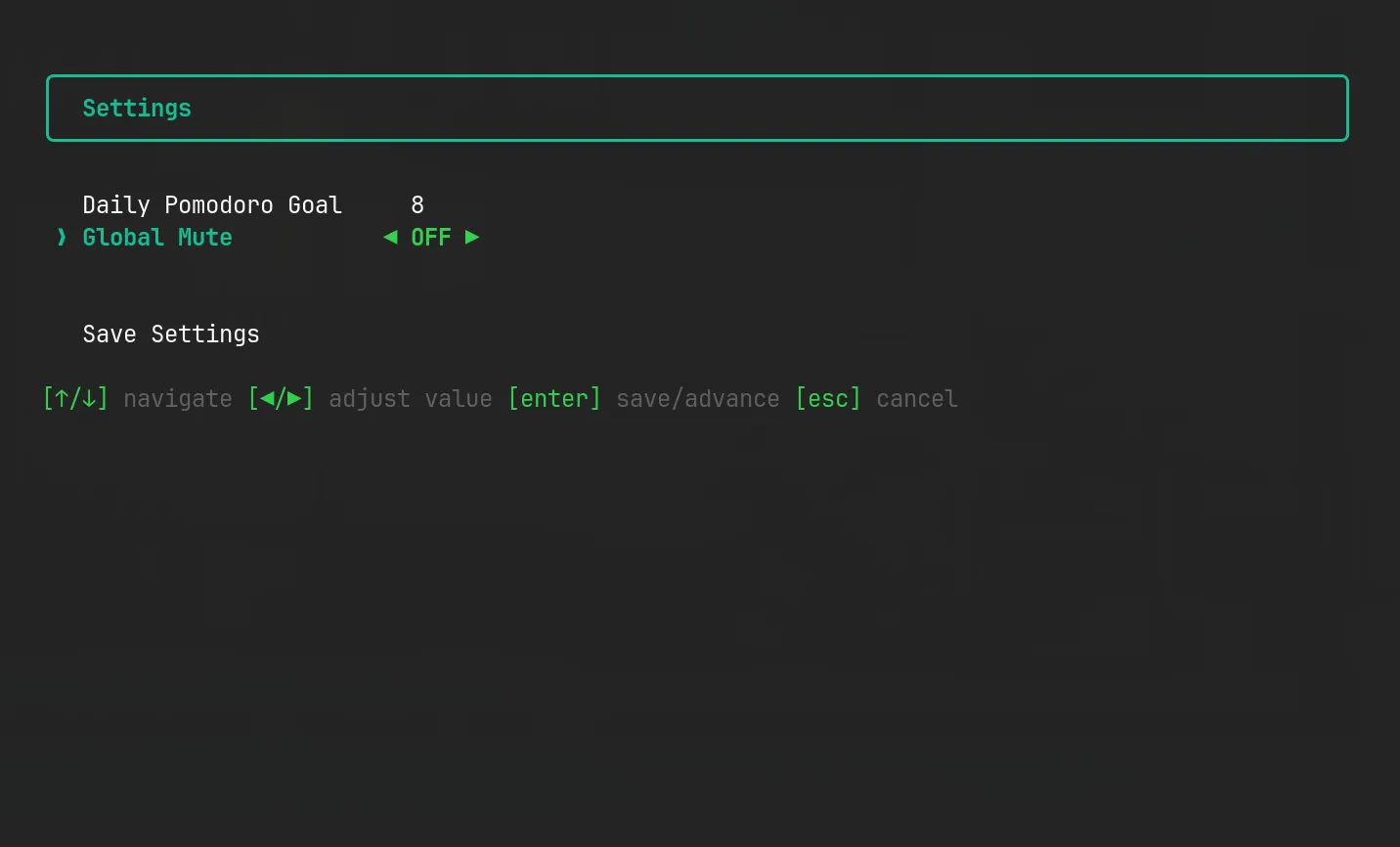
Settings Menu
Dynamically change your preferences, like your daily Pomodoro goal and alert toggles.
Future Roadmap
The current version of Pomo Doro covers the essential workflow, but as a passionate open-source project, the roadmap is always evolving. Potential future enhancements could include:
- Cloud Syncing: Adding an optional backend connection so sessions can be synced across multiple devices.
- Advanced Analytics: Exploring deeper insights, like exporting data to CSV or visualizing productivity trends by tag.
- More Theming Options: Allowing custom color schemes for the TUI elements.
Final Thoughts
Pomo Doro started as a personal tool because I couldn’t find a lightweight terminal timer that met my workflow needs. By combining React Ink, Conf persistence, and modern developer tooling, it evolved into a fun, robust utility that I use every single day.
If you are a terminal enthusiast who values keyboard-driven productivity and local-first data, give it a try:
npm install -g pomo-doro-tui
pomo
Have a nice day, keep coding, and never stop learning! 🚀